An AI photo booth works best when the creative idea and the operating model are built together. If you only focus on the visuals, the experience can look exciting and still fail on the floor. If you only focus on the operations, the booth may run smoothly but never create the kind of moment people want to share.
At PONS.ai, we have seen this across corporate events, brand activations, trade shows, museums, fan experiences, and premium launches. The activations that perform best are the ones that feel simple to guests but are carefully designed behind the scenes: fast capture, clear branding, tight queue flow, and a strong follow-up path.
This guide walks through how to set up an AI photo booth step by step, from defining the goal to designing the guest journey, planning throughput, choosing visuals, and making sure the booth produces measurable business value instead of just a fun distraction.
Why setup matters more than people think
An AI photo booth is not like a standard selfie station. It is an experience engine. The output may look like the hero of the moment, but the real result depends on the system around it.
That system has to handle:
guest attention
lighting and capture quality
branding and creative direction
queue management
delivery speed
data capture and follow-up
If even one of those pieces is weak, the whole activation can feel slower, less premium, or less useful than it should.
That is especially true in trade show environments. Cvent’s 2026 event statistics roundup notes that **59% of B2B marketers plan to increase investment in in-person events and trade shows to drive more leads into pipeline in 2026**, which tells you exactly what the pressure is: exhibitors need activations that do more than look busy. They need something that supports lead generation, not just foot traffic. Event Marketer’s EventTrack 2026 also surveyed more than **1,000** marketers and attendees across consumer, B2B, and trade show sectors, which is another reminder that live experiences are being measured more seriously than ever.
The setup is what turns a nice idea into a reliable growth tool.
Step 1: Decide what the booth is supposed to achieve
Before you choose visuals or software, define the job.
An AI photo booth can be built for different outcomes:
lead generation at a trade show
social sharing at a brand activation
employee engagement at a corporate event
visitor dwell time at a museum or attraction
premium content capture at a product launch
fan participation at a sports or entertainment event
The setup changes depending on the goal.
If the objective is lead generation, the booth needs a frictionless opt-in flow, badge or email capture, and a follow-up sequence.
If the objective is social reach, the booth needs strong output design, easy sharing, and a result that feels personal enough to post.
If the objective is brand experience, the booth needs a creative concept that feels like a natural extension of the event, not a random add-on.
At PONS.ai, we always start by asking one question: what should the guest do after they see the result?
If you cannot answer that, the setup is not done yet.
Step 2: Choose the right event format
AI photo booths work in many formats, but they do not behave the same way in each one.
Trade shows and exhibitions
This is the hardest environment and one of the best opportunities. You need speed, clarity, and a setup that works under crowd pressure.
The booth should:
stop aisle traffic
create a visible reason to enter the stand
capture data without slowing the queue
produce output that looks good on LinkedIn, not only on a phone screen
Corporate events
Corporate events usually reward a more polished visual language and a more controlled experience. Here the booth can be a little more elevated, more formal, and more brand-safe.
Product launches
Launch events need the booth to reflect the campaign story. The visuals should make the product feel more desirable, more modern, or more memorable.
Museums, attractions, and fan experiences
These environments often prioritize repeat participation and shareability. The booth should feel like part of the exhibition or attraction itself.
Retail activations
Retail needs quick participation and easy distribution. The booth should keep the line moving while still producing content worth keeping.
PONS.ai has seen all of these use cases work well when the experience is built around the context, not just the technology.
Step 3: Pick a concept people understand instantly
The strongest booth concepts are obvious in five seconds.
Guests should be able to answer these questions immediately:
What happens here?
What do I get?
Why should I care?
How long will it take?
If the answer is unclear, the booth will underperform.
Good concepts are usually simple and specific:
become a future version of yourself
step into a brand world
turn a selfie into a campaign portrait
create a themed image for a special event
generate a branded output tied to the launch or exhibition theme
Avoid concepts that need a long explanation. If staff need thirty seconds to explain the experience, you have already lost attention.
Step 4: Design the guest journey before the visuals
Many teams design the artwork first and the flow second. That is backwards.
A useful guest journey usually looks like this:
Guest notices the booth from a distance.
Guest is drawn in by signage or live screen output.
Guest is captured or guided into position.
The system generates the output.
Guest sees the result immediately.
Guest receives the asset by QR code, email, SMS, or share link.
Guest is invited to take the next step, such as follow, download, or book a meeting.
The best experiences make each step feel natural.
At trade shows, that next step often becomes the difference between entertainment and pipeline support. If the booth captures a lead and the output is good enough to share, the activation keeps working after the visitor leaves the stand.
Step 5: Build for throughput, not just peak beauty
This is where many booths break down.
An activation can look amazing in a quiet test and still struggle once a real crowd arrives. You need to design for the busiest 20 minutes, not just the average hour.
To do that, think about:
how long one session takes
whether guests need help to get started
whether there is a bottleneck at the screen
whether delivery is manual or automated
whether multiple people can be processed in parallel
As a rough guide, if the full interaction includes capture, generation, review, and delivery, the booth should be planned around operational rhythm rather than raw technical speed alone. PONS.ai typically aims for around **10 seconds** generation time where possible, but the real-world throughput also depends on guest guidance and queue design.
For smaller events, one station may be enough.
For trade shows, conferences, and high-traffic activations, the better model is often:
one capture station
one visible output screen
one QR or delivery flow
one staff member managing the line
one brand conversation point nearby
That way, the booth feels active without becoming chaotic.
Step 6: Choose visuals that fit the event context
The creative direction has to match the occasion.
Here is the simplest way to think about it:
| Event type | Best visual style | |---|---| | Trade show | Bold, clear, high-contrast, easy to read from a distance | | Corporate event | Polished, professional, brand-safe | | Product launch | Campaign-led, thematic, premium | | Museum / attraction | Immersive, on-theme, repeatable | | Retail activation | Fast, playful, social-friendly |
The visuals should not only look good. They should tell the guest where they are and why the booth matters.
For example, a fintech trade show should not look like a casual party filter. A luxury launch should not look like a generic selfie booth. A museum activation should feel like an extension of the exhibition story.
That is one reason PONS.ai works well across so many event types: the output can be tuned to the audience, the campaign, and the tone of the room.
Step 7: Plan the capture setup properly
The capture setup is the quiet killer of many activations.
If lighting is bad, output quality drops. If the camera angle is awkward, the guest looks uncomfortable. If the booth footprint is too tight, the staff cannot guide people smoothly. If the screen is in the wrong place, guests do not understand what is happening.
The setup should take care of four things:
Framing
Guests should know where to stand without guessing.
Lighting
Light should be flattering, consistent, and not too harsh.
Background
The background should reinforce the event concept, not compete with it.
Visibility
Other attendees should be able to see the transformation as it happens.
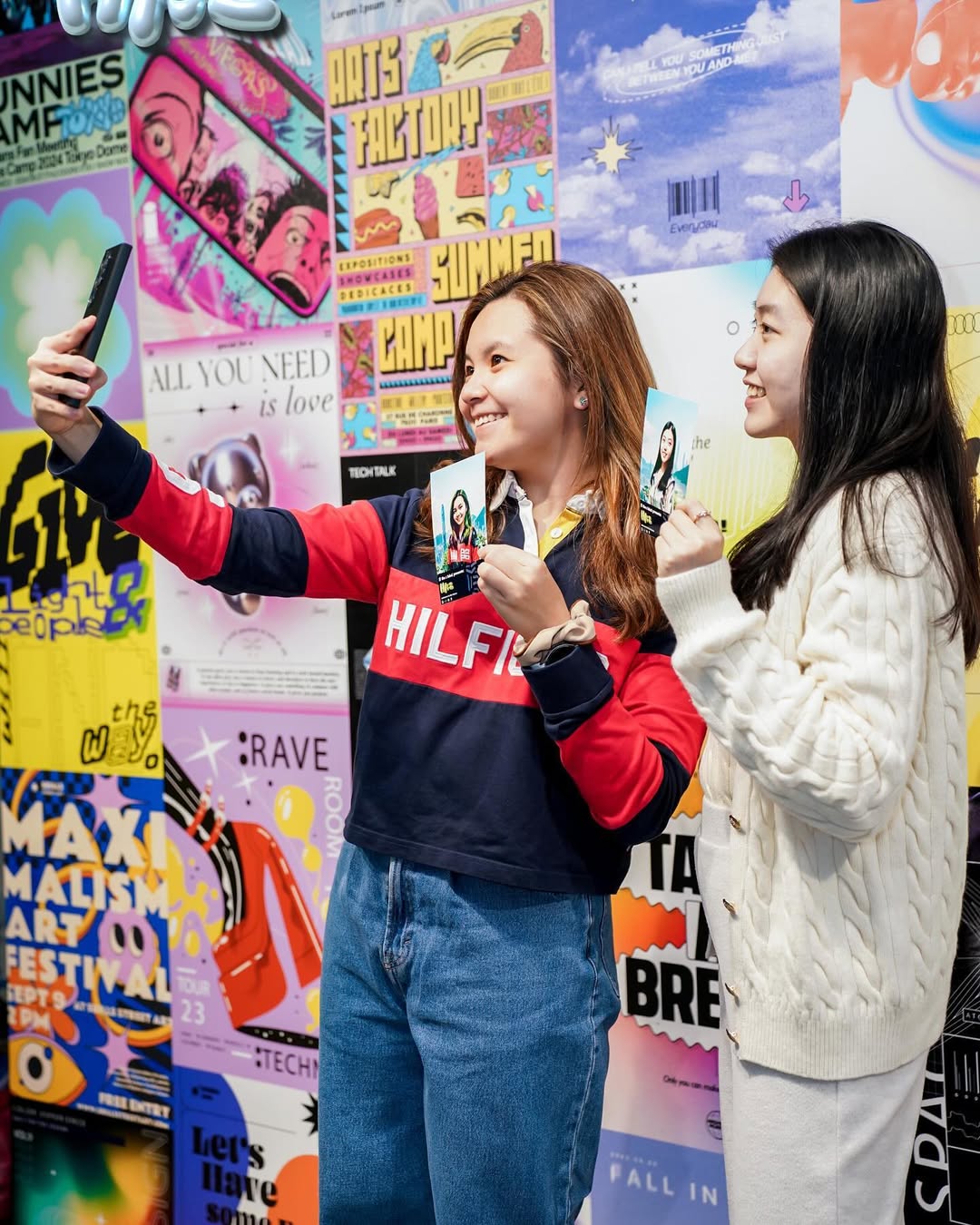
That last point matters more than people think. One of the strongest forms of booth marketing is social proof in the room itself. When attendees see someone else get a great result, they understand the value instantly.
Step 8: Make sharing and delivery frictionless
If the result is good but the delivery is clumsy, the experience loses momentum.
The best options usually include:
QR code delivery
email delivery
mobile sharing links
branded share cards
optional print output for premium environments
The point is not to give guests seven choices. The point is to give them one easy path and maybe one backup path.
At PONS.ai, we have seen that the easier the delivery flow is, the better the activation performs on both sharing and data capture.
For B2B environments, a simple QR flow is often enough. For consumer or public-facing activations, a more playful share card can work better.
Step 9: Connect the booth to data and follow-up
The booth should not end at the image.
If you want real business value, connect the activation to the rest of the campaign stack. That can include:
CRM lead capture
email nurture
event segmentation
social analytics
post-event reporting
An AI photo booth becomes much more valuable when you know:
who participated
what time they came through
which concept performed best
how many assets were shared
how many leads were captured
what follow-up happened after the event
That is why integrated setups usually outperform standalone booths. They give marketing and sales teams something measurable to work with, not just a photo gallery.
Step 10: Write staff scripts that sound natural
The people staffing the booth matter almost as much as the booth itself.
Good staff scripts should be short, warm, and clear.
Bad script:
“Would you like to participate in our AI-powered immersive content capture experience?”
Better script:
“Want to try the AI photo booth? It only takes about 10 seconds.”
The script should answer the guest’s hidden questions:
Is this worth my time?
Will it be awkward?
How long will it take?
What do I get at the end?
For trade shows, good staff also know how to move from the experience into a real conversation. The booth is the opener, not the whole story.
Step 11: Test the setup under real conditions
Never trust a quiet test more than a real rehearsal.
Before the event, simulate:
peak traffic
poor lighting
fast repeats
guest hesitation
delivery failures
staff handoff
This is where you find the weak points.
The questions to ask are practical:
Can two guests enter the flow at once?
Does the queue still move if one staff member is distracted?
What happens if the network is slower than expected?
Does the booth still make sense from ten feet away?
Can the output be understood immediately?
The best activations are boringly reliable behind the scenes and exciting on the surface.
Step 12: Measure the right metrics
Do not measure success by vibes.
The right metrics depend on the event goal, but the most useful ones are usually:
participation rate
lead capture rate
share rate
average dwell time
output completion rate
follow-up conversion
For trade shows, also look at:
meetings influenced
demos booked
badge scans converted
quality of captured leads
For brand activations, focus more on:
output shareability
brand recall
social reach
content reuse
For museums and attractions, dwell time and repeat participation may matter more than raw lead generation.
Common setup mistakes
Here are the mistakes we see most often.
1. The concept is too generic
If the booth could belong to any brand, it will not create enough recall.
2. The setup is too slow
If guests wait too long, the energy drops and the line feels heavier than it should.
3. The visuals do not match the audience
A B2B audience needs something more polished than a consumer party effect.
4. There is no next step
If the booth ends with a pretty image and nothing else, the business value is limited.
5. The team underestimates staffing
Even the smartest booth needs human guidance, especially in busy rooms.
6. The event context is ignored
A quiet conference, a noisy expo, and a museum installation all need different operating assumptions.
What PONS.ai has learned from real activations
Across PONS.ai projects, a few patterns show up again and again.
CR7 LIFE Museum taught us that visitor attraction work needs repeatable delight, not one-time novelty.
foodpanda showed that celebration content performs best when it feels personal and social-ready.
KPMG and HSBC reinforced that enterprise environments need strong brand safety and a polished guest flow.
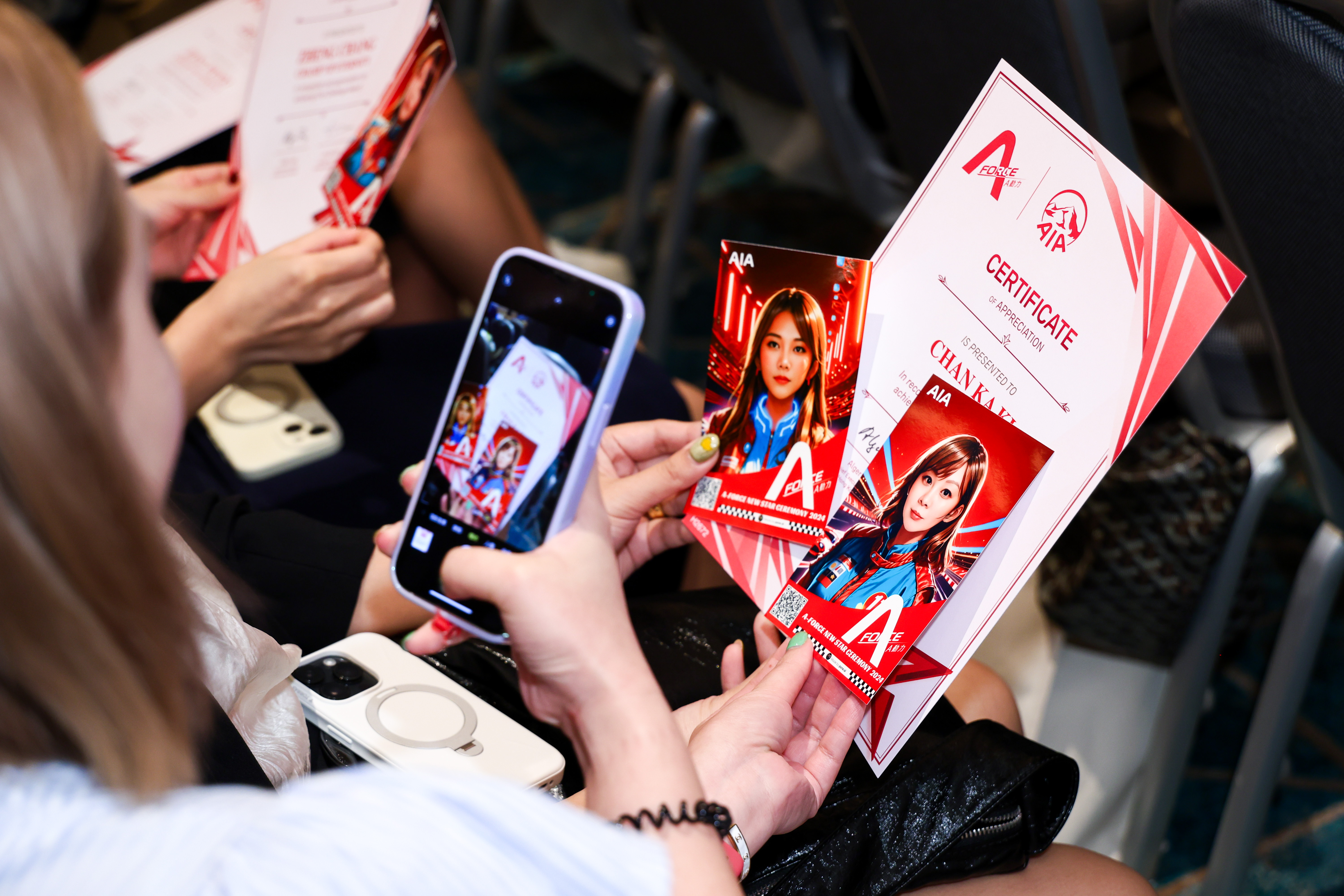
AIA demonstrated that internal engagement improves when the experience is simple enough for broad participation.
JCDecaux and AWS TechFest proved that high-traffic environments reward systems that can sustain attention at scale.
The lesson is simple: the booth is never just the booth. It is part experience design, part content engine, part lead system.
A practical setup checklist
Before you go live, check these items:
objective defined
audience defined
visual concept approved
output format confirmed
delivery flow tested
data capture approved
staff script prepared
signage readable from a distance
queue space planned
lighting checked
follow-up workflow ready
reporting format decided
If those twelve items are in place, the booth is ready to perform.
FAQ: How to set up an AI photo booth
How long does it take to set up an AI photo booth?
That depends on the event complexity, but the setup should always be planned well before guests arrive. Creative approval, delivery flow, branding, and staffing are usually more important than the physical booth itself.
What is the best type of event for an AI photo booth?
Trade shows, corporate events, product launches, museums, retail activations, and fan experiences all work well. The best event is the one where the booth supports a real campaign goal.
Do AI photo booths help with lead generation?
Yes, especially when the booth is connected to QR delivery, opt-in capture, and CRM follow-up. That is where the experience becomes a business tool instead of just entertainment.
How many people can use one booth in an hour?
It depends on the flow, staffing, and generation speed. The real answer is less about the average and more about whether the booth can handle peak traffic without slowing down.
What should I prepare before the event?
Prepare the visual concept, the output style, the staff script, the lead capture path, the signage, and the post-event follow-up plan. Those are the parts that determine whether the activation works.
Final takeaway
An AI photo booth is easy to understand and hard to get right. The best versions look effortless because the setup behind them is disciplined: clear creative direction, smart queue planning, fast delivery, and a clear business outcome.
If you are planning a trade show booth, corporate event, product launch, or exhibition activation, the real question is not whether the booth looks cool. The question is whether it turns attention into something useful.
When the setup is done properly, that answer becomes yes.
**Book a demo with PONS.ai**